One of the features provided by Travian PLUS, is the option to define your own direct links or skype links, which will be displayed in Link List panel.
How to add / edit / delete links?
To get to settings, click on the pen which is in the top right corner of Link list panel on your page. A new window will appear. There, you can do some settings.
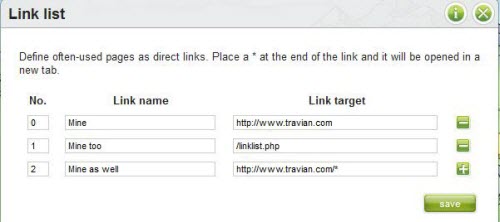
Page consists of three columns: No., Name, Link and button at the end of each row.
Button SAVE will save your new settings.