At any web page within Travian you can find a menu option named "Chat".
This link is available at the front page, in the forum and in game.
It opens another window which requires Java to be installed on the computer.
The Chat link in the menu.
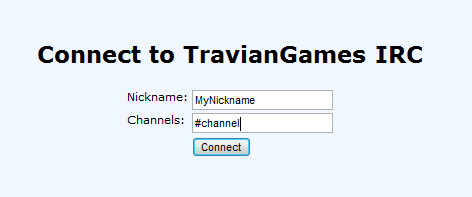
Once you have clicked on it, it will open a window:
Choose a nickname and a channel of your choice, for example:
All applet users join this channel and additional a lot of general users are here. You wont see any users in the list on your right hand, as the channel is really huge.
The main channel for the .com domain.
Afterwards you will be automatically directed to the channel you have chosen. In reality it will look like this:
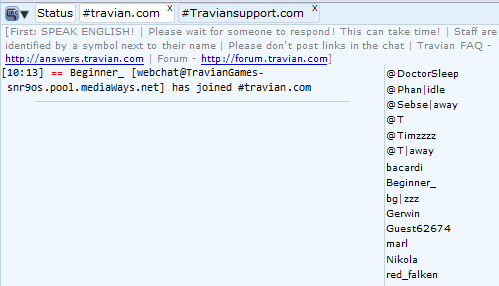
You can see one line at the top:
Starting a private conversation can be easily done by one of the two following options:
You can see #travian.com is white. This means your currently in that channel. You can easily switch by just clicking on the other buttons.